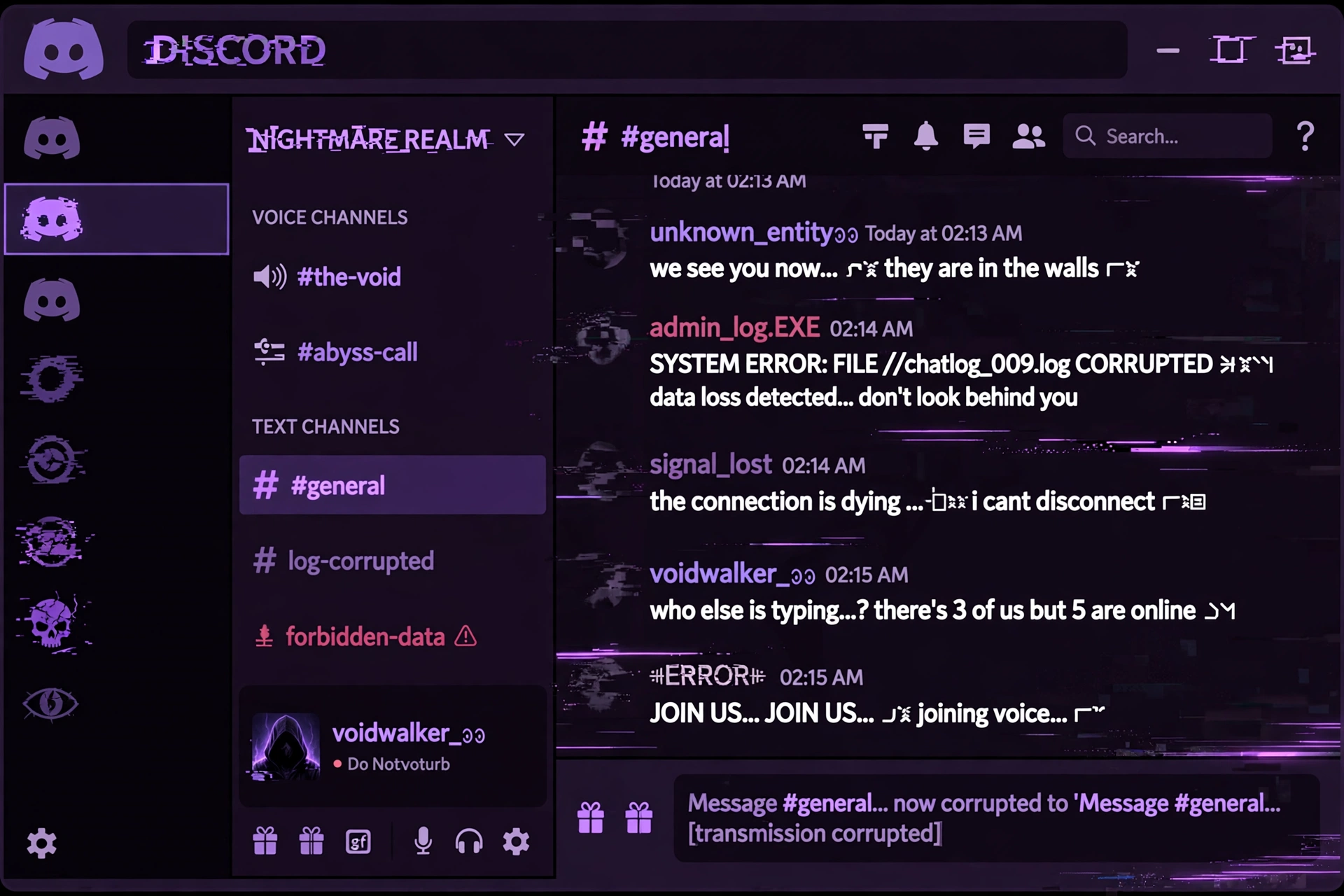
Discord is where cursed text truly lives. The platform renders combining characters perfectly, which means your glitchy, corrupted, demonic messages show up exactly as intended on desktop, mobile, and web. Whether you want a creepy username, an unsettling status, or messages that make your friends do a double-take, this guide covers everything.
If you are new to the concept, cursed text uses Unicode combining characters — invisible marks that stack above, below, and through normal letters — to create that corrupted, glitchy look. Discord handles these characters natively. No bots, no plugins, no setup required.
Where You Can Use Cursed Text on Discord
Almost everywhere text appears:
Messages. The most common use. Paste cursed text directly into any chat box and hit send. It works in DMs, group chats, and server channels. The effect is instant and dramatic — a normal sentence suddenly looks like it crawled out of a corrupted file.
Usernames. Discord allows combining characters in usernames, with some limits. Your username can include cursed characters, but keep it readable enough that friends can still recognize and mention you. An extremely corrupted username makes it hard for people to type your name for mentions.
Nicknames (server-specific). This is the sweet spot. Server nicknames support the full range of cursed characters, and they only apply in that server. Go wild here — your global username stays clean while your nickname in your friend’s server looks possessed.
Channel names and topics. If you run a server, cursed text in channel names gives instant atmosphere. A channel called “#announcements” is boring. A channel with glitched text is memorable. Just keep it readable enough that members can find things.
Custom status. Your “About Me” and custom status fields both accept cursed text. A corrupted status message is subtle — most people only see it when they click your profile, which makes the reveal even better.
Role names. Server owners can use cursed text in role names for horror-themed servers. “Moderator” hits different when it looks corrupted.
Step-by-Step: Sending Your First Cursed Message
Step 1: Go to our cursed text generator and type your message in the input box.
Step 2: Pick a style. For Discord messages, Zalgo or Glitch at medium intensity works best — dramatic but still readable.
Step 3: Adjust the intensity slider. Start at medium. You can always go more extreme, but unreadable messages kill the joke.
Step 4: Click copy, switch to Discord, paste, and send. That is the entire process.
Choosing the Right Style for Discord
Not every style works equally well in every context:
Zalgo is the all-rounder. It works for messages, nicknames, and statuses. Medium intensity is the sweet spot for readability.
Glitch is great for tech and gaming servers. It reads as “digital corruption” rather than “supernatural horror.”
Demonic fits horror and Halloween-themed servers perfectly. The occult aesthetic lands hard in the right community.
Void is the subtle choice. It works beautifully for statuses and “About Me” sections where you want atmosphere without screaming for attention.
Horror is maximum impact. Save it for special occasions — Halloween events, horror game nights, dramatic announcements.
Common Problems and Fixes
“My text looks different on mobile.” Every font renders combining characters slightly differently. The effect always works, but the exact appearance varies between iOS, Android, and desktop. Test on your own phone before committing to a username.
“People can’t mention me.” If your username is heavily corrupted, others cannot type it to mention you. They can right-click your name and select “Mention,” but most will not bother. Keep usernames lightly styled and save the heavy corruption for nicknames.
“My message got flagged.” Some servers have bots that strip or flag messages with excessive special characters as potential spam. If your message disappears, that is probably why. Check the server rules or ask a mod.
“It looks broken, not cool.” You probably have the intensity too high. Dial it back. The best cursed text is unsettling but legible — if nobody can read it, the effect is wasted.
Ideas for Discord Servers
Running a horror or Halloween-themed server? Cursed text is basically mandatory. Use it for channel names, event announcements, and role names. A server event announced in clean text is a notification. The same event announced in corrupted text is an experience.
For gaming servers, glitch-style text fits the aesthetic — especially for FPS, cyberpunk, or horror games. RPG servers can use demonic text for villain NPCs or dark quest announcements.
Even in normal servers, a well-timed cursed message lands perfectly. The key word is “well-timed.” If every message you send is corrupted, it stops being special. Save it for moments that deserve the drama.
Frequently Asked Questions
Does cursed text work in Discord usernames?
Yes, with limits. Discord allows combining characters in usernames, but extremely long corrupted names may get cut off. Test it and keep a readable version as backup.
Can I use cursed text in my Discord bio?
Yes. The “About Me” section supports the full range of Unicode characters, including all cursed text styles.
Will cursed text get me banned?
No, cursed text itself does not violate Discord’s terms. However, individual servers may have rules against it, and spam bots might flag excessive special characters. When in doubt, check the server rules.
Why does my cursed text look different on my phone?
Different operating systems use different fonts, and each font renders combining characters slightly differently. The corruption always shows up, but the exact look varies.
What is the best cursed text style for Discord?
Zalgo at medium intensity is the most versatile. It is dramatic, readable, and works everywhere from messages to nicknames.
Can I use cursed text in Discord channel names?
Yes, if you have permission to manage channels. It works great for themed servers but keep names readable enough for navigation.
Ready to try it? Head to our cursed text generator, pick your style, and paste your first corrupted message into Discord. For more styles, check out our Zalgo generator, Glitch generator, and Demonic generator.